Exporting and publishing
¶ Exporting EPUB, PDF, DOCX, and Markdown
Dizire Engine supports several export paths because the finished use case is not always the same. EPUB is for a packaged ebook, PDF is for fixed-layout review or delivery, DOCX is for editable manuscript handoff, and Markdown is for plain-text workflow portability.
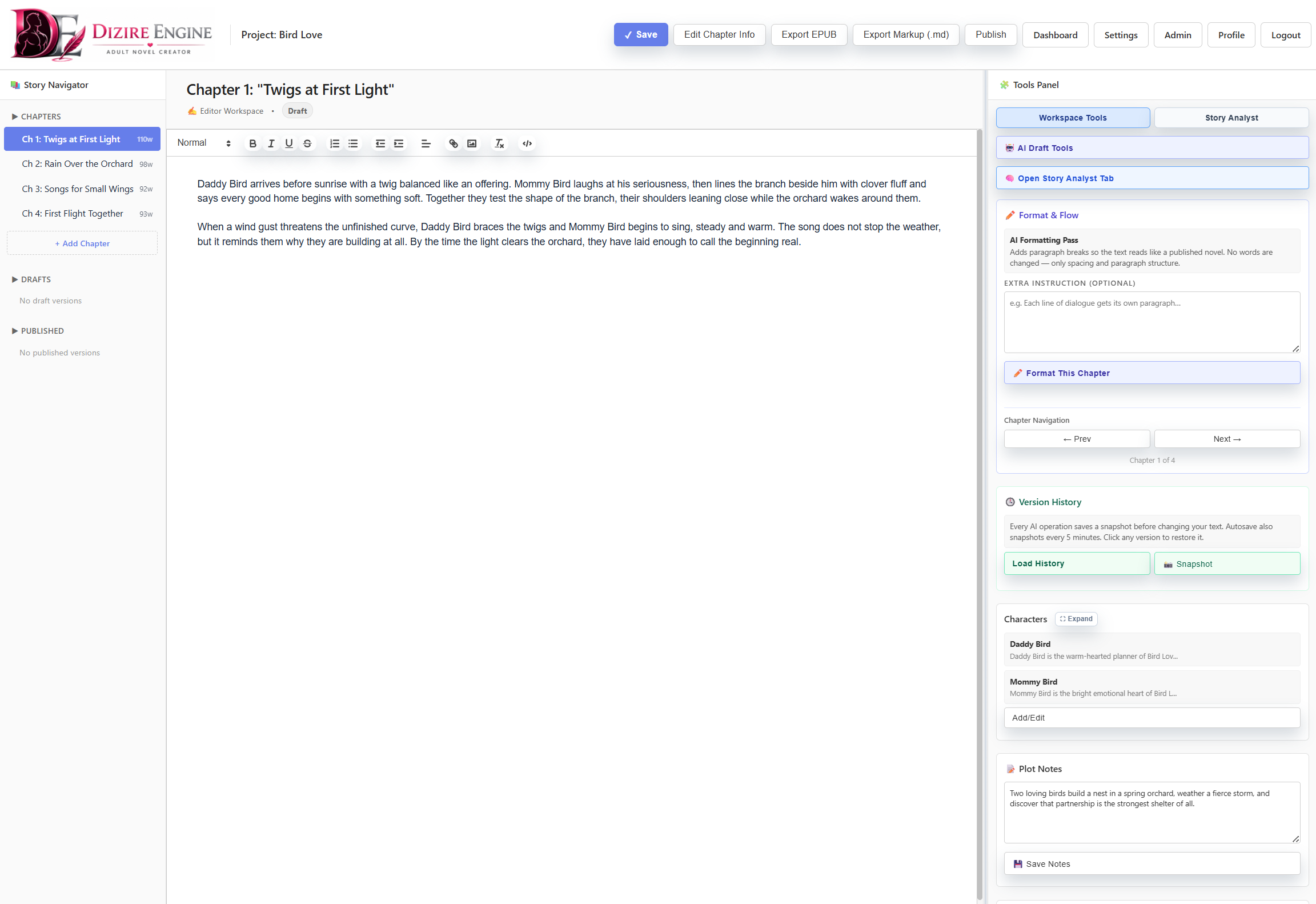
Export should happen after the manuscript is stable, not as a substitute for preview or metadata cleanup. The workspace and release editor both support the final handoff stage.
On this page
- Where exports are launched
- What all formats have in common
- What EPUB adds
- How PDF, DOCX, and Markdown differ
- How to choose without guessing
Where to export
¶ Use the release settings page for the full package, and the workspace for fast handoff exports
The main release editor includes an Export Manuscript block with buttons for Export to DOCX, Export to PDF, and Export to EPUB. The writing workspace adds top-bar shortcuts for Export EPUB and Export Markup (.md).
That split is intentional. The release editor is the best place when you are thinking about the whole publication package. The workspace shortcuts are better for direct manuscript handoff when you are already inside the book.
Shared behavior
¶ All exports pull from the release, not from scattered editor fragments
No matter which format you choose, the export is built from the saved release record: release title, premise, optional prologue, chapter text, chapter order, and the merged publishing profile created from project defaults plus release overrides.
- If a chapter is unfinished, that unfinished text can still carry into export.
- Chapter sections are rebuilt into one chapter draft before export, so they do not become separate public chapters.
- Opening state, carryover threads, and ending state help guide planning, but they are not automatically rendered as reader-facing pages in standard exports.
- Preview is still the cheapest pre-flight check before any file generation.
EPUB
¶ Use EPUB when you want the closest thing to a finished ebook package
EPUB is the richest package in the current export set. It uses the publishing profile to include optional title, copyright, acknowledgments, about-the-author, also-by, next-book, and character-bio sections. It can also embed the release cover art when the release has a saved cover image.
EPUB is also the format the system uses for server backups when deleting releases or whole projects. That makes it the closest thing to the app's archival publication package.
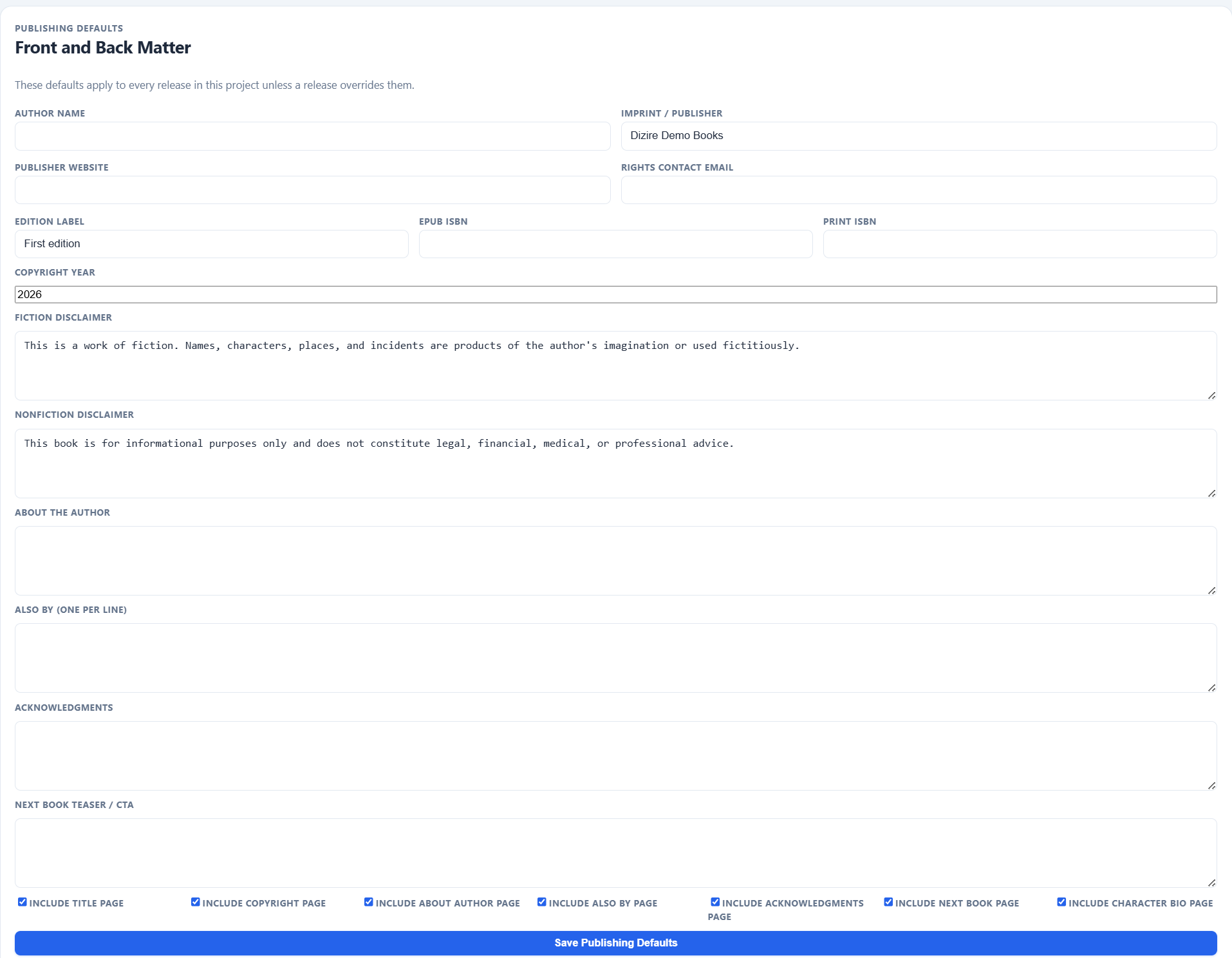
EPUB reflects the metadata and page-toggle decisions more strongly than the plainer export paths, so clean publishing settings matter most here.
PDF and DOCX
¶ Use PDF for fixed reading review and DOCX for editable manuscript handoff
PDF is useful when you want a stable reading copy, a print-style review artifact, or a file someone can open without editing the manuscript structure. The preview page even includes a Print / Save PDF action for a quick visual proofing pass.
DOCX is better when the file still needs outside editing, annotation, or compatibility with standard manuscript tools. It carries the manuscript structure into a format that remains easy to revise elsewhere.
- Choose PDF when layout stability matters more than downstream editing.
- Choose DOCX when the next step is editorial markup or another round outside the app.
- Neither format is as package-aware as EPUB, so make sure the manuscript itself is clean before exporting.
Markdown
¶ Use Markdown when you want a portable plain-text package for tooling or archive workflows
Markdown export is different from the book-facing formats. It creates a plain-text package with release metadata, premise, opening state, carryover threads, ending state, prologue, and chapter content in a readable .md file.
This is useful when the next step is another writing tool, LLM workflow, plain-text archive, or a manual transformation pipeline rather than direct reader delivery.
Decision rule
¶ Pick the next use case first, then the export format
Do not choose the format by habit. Choose it based on what happens immediately after the export.
- EPUB for ebook packaging, archival backup, and the most complete front/back matter package.
- PDF for stable review copies and print-like proofing.
- DOCX for editable manuscript exchange.
- Markdown for plain-text portability and tooling workflows.
Next step
¶ Where to go next
Once the export paths are clear, the next publishing questions are channel fit and pre-flight checks. Continue through the wiki home publishing track for the upcoming articles on choosing the right export format and final quality checks.