Planning your first book
¶ Creating your first story project
A project is the top-level container that holds your continuity, series, release line, and shared publishing defaults. This article shows how to create that scaffold correctly so the rest of your book workflow has a clean home.
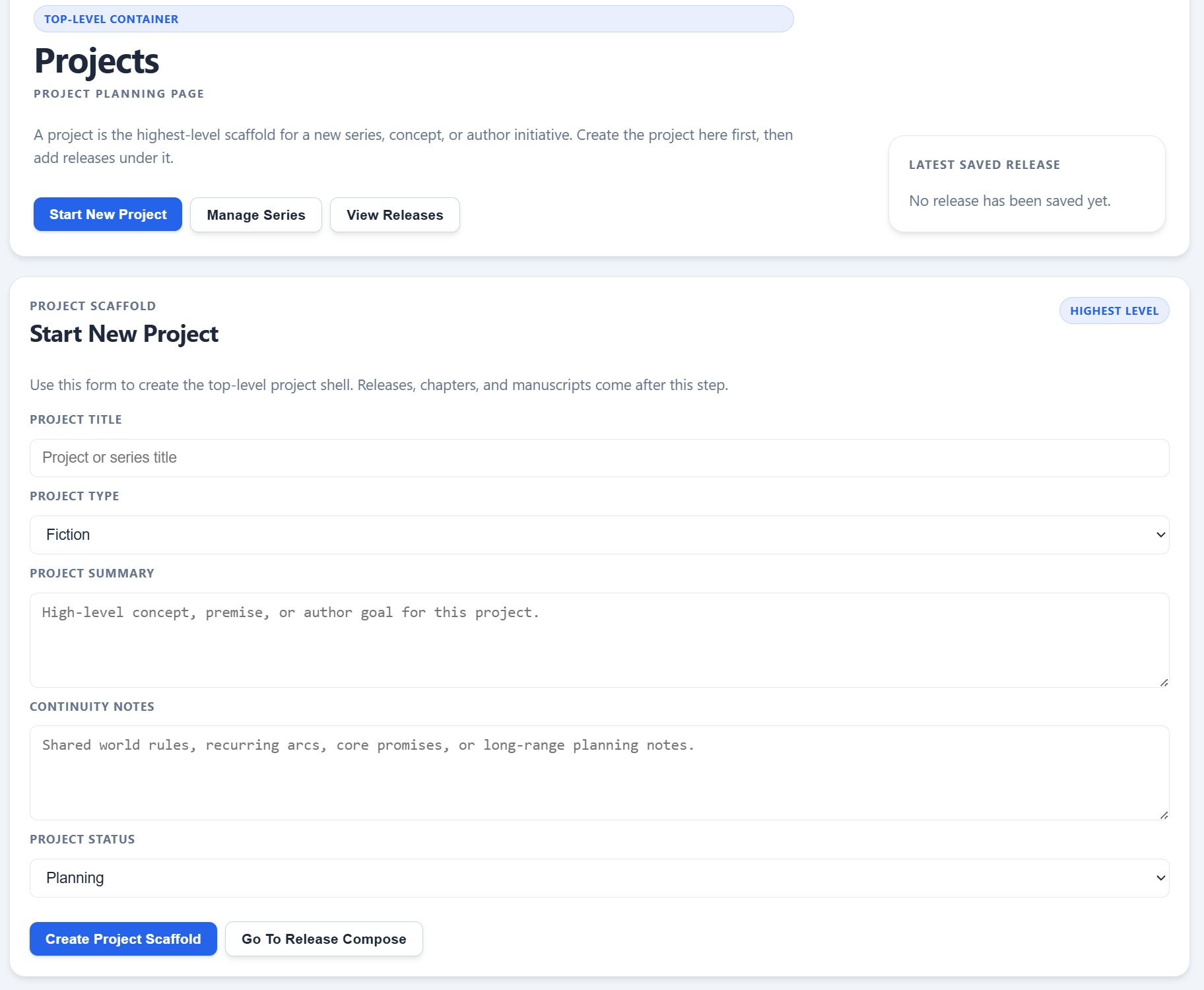
The project form lives on the Projects page because every release, chapter, and manuscript starts from this higher-level scaffold.
On this page
- What a project does
- Where to start in the app
- How to fill in the project form
- What to check after saving
- When to add a series next
Overview
¶ What a story project is actually for
In Dizire Engine, a project is not the manuscript itself. It is the long-range planning shell that holds the concept, continuity notes, and release structure around the manuscript. If you skip this layer, later screens have nowhere consistent to store the information that should carry across releases.
Create a project when you want a stable home for a book line, a one-off concept, or a future series you know will need continuity memory beyond a single draft.
Before you begin
¶ Open the right page first
You can reach the project workflow from either Home or My Projects in the left-hand navigation.
- Use Home if you want the app to remind you of the order: project, then series, then release.
- Use My Projects if you already know you are ready to create or edit a project record.
- Have a title, a one-paragraph concept summary, and at least a few continuity notes ready before you start typing.
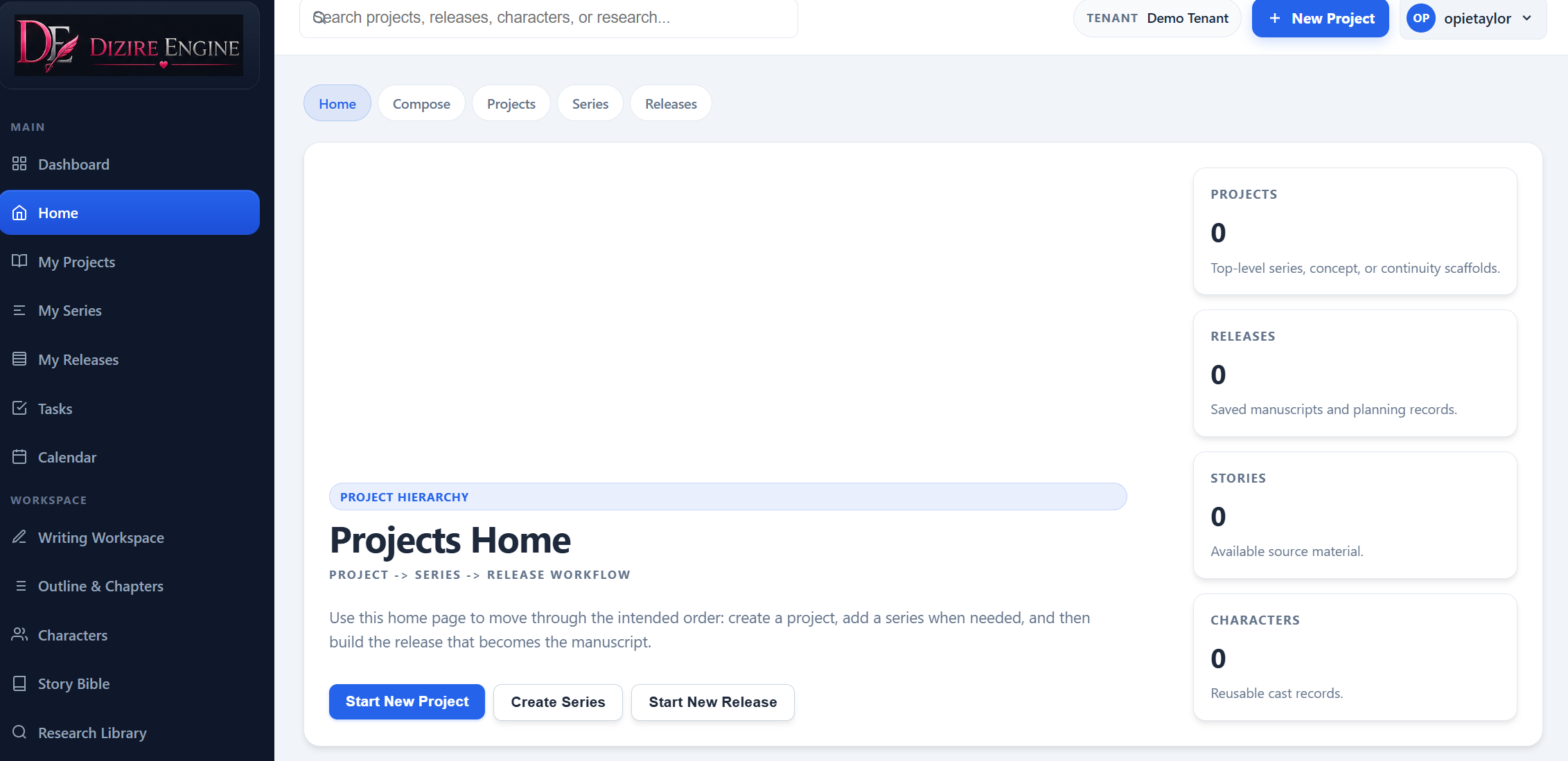
Home is the best orientation screen for new users because it makes the creation order explicit before you jump into forms.
Walkthrough
¶ Fill in the project scaffold step by step
- Open My Projects from the sidebar.
- In the Start New Project form, enter the project title you want the rest of the workflow to inherit.
- Choose the project type. For most novel workflows, this stays on Fiction.
- Add a short summary that explains the concept, premise, or author goal.
- Write continuity notes for anything that should survive into future releases: world rules, emotional promises, recurring arcs, or catalog direction.
- Choose the current project status. Use Planning if you are still setting the concept up.
- Click Create Project Scaffold.
Do not overcomplicate the first pass. The project form exists to create a clean container, not to force every future detail into the system at once.
The most important fields on day one are the title, summary, and continuity notes. Those three decisions are enough to give later releases a stable context.
After save
¶ What a successful project should show you
After the project saves, the detail page should confirm the record exists and give you the next structural actions. This is where you verify the project status, continuity notes, release sequence, and whether the project needs a dedicated series layer yet.
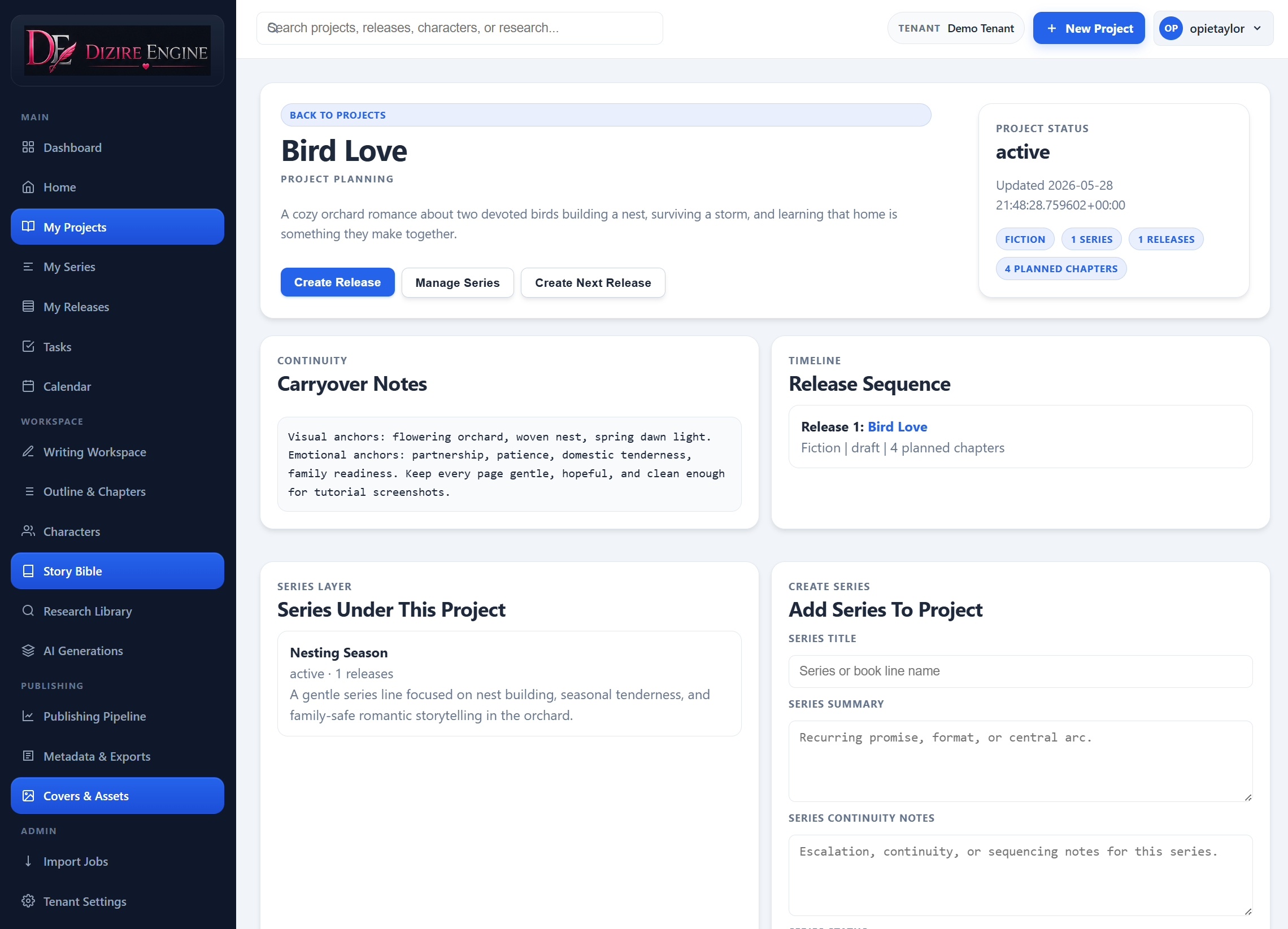
A good saved project page gives you three immediate choices: create the first release, add a series, or keep refining continuity before you move on.
Optional extras
¶ When to use the gallery and project assets
Projects can also hold mood boards, story references, and image-gallery material. This is optional for the first project, but it becomes useful when you want a visual brief that multiple releases can share.
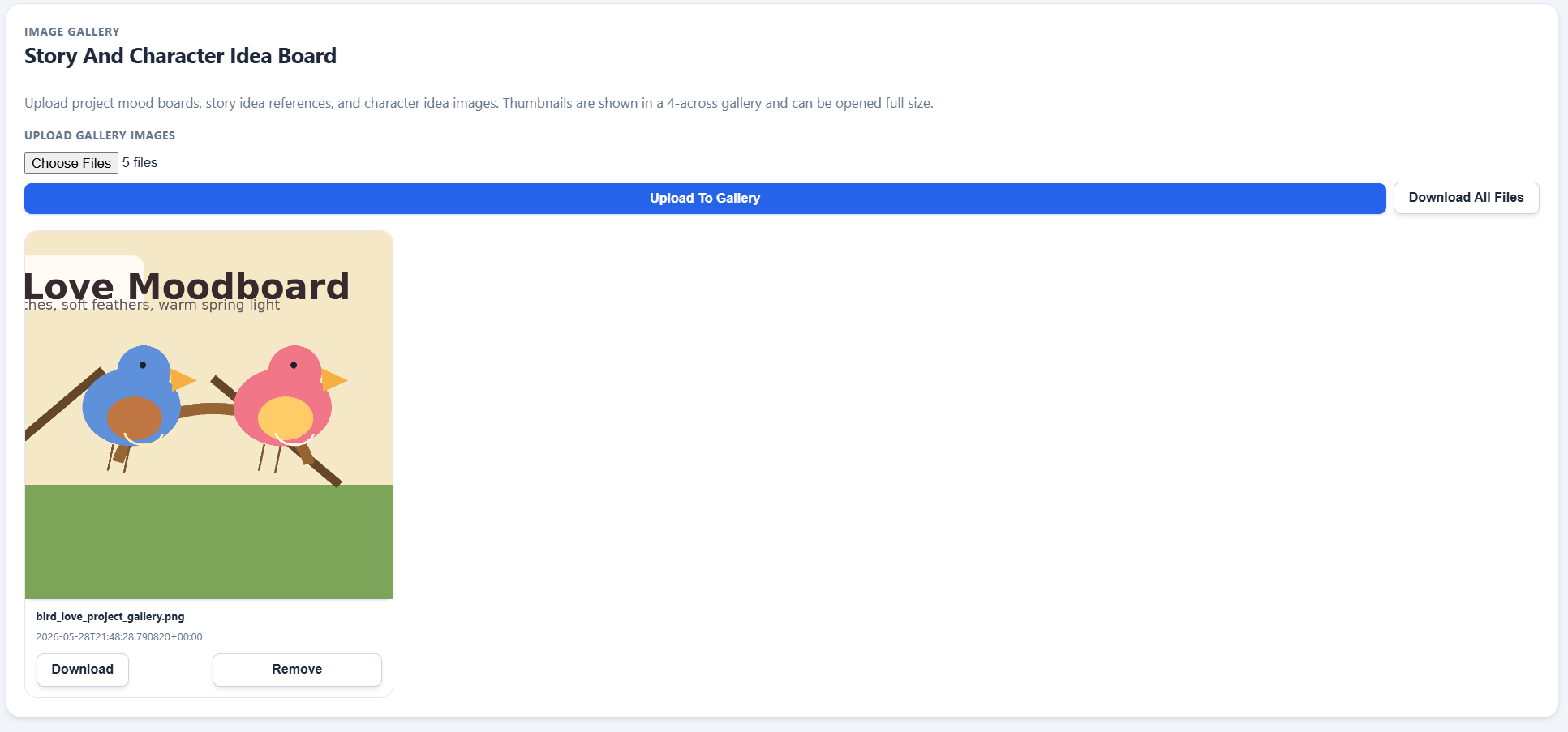
The gallery is a project-level reference space. Use it for recurring atmosphere, visual motifs, or character inspiration that should stay attached to the project instead of a single release.
Next step
¶ Where to go next
Once the project exists, the next decision is structural: either add a series or move directly into a release. If you are still learning the model, continue to Projects, series, releases, chapters, and sections explained.
If the structure already makes sense, the next practical tutorial should be writing your first outline inside the release workflow.