Drafting inside Dizire Engine
¶ Drafting chapter by chapter without losing structure
Long-form drafting gets unstable when the release plan disappears under page-level writing. This article shows how to move through one chapter at a time in Dizire Engine while still keeping the release arc, continuity, and next chapter direction visible.
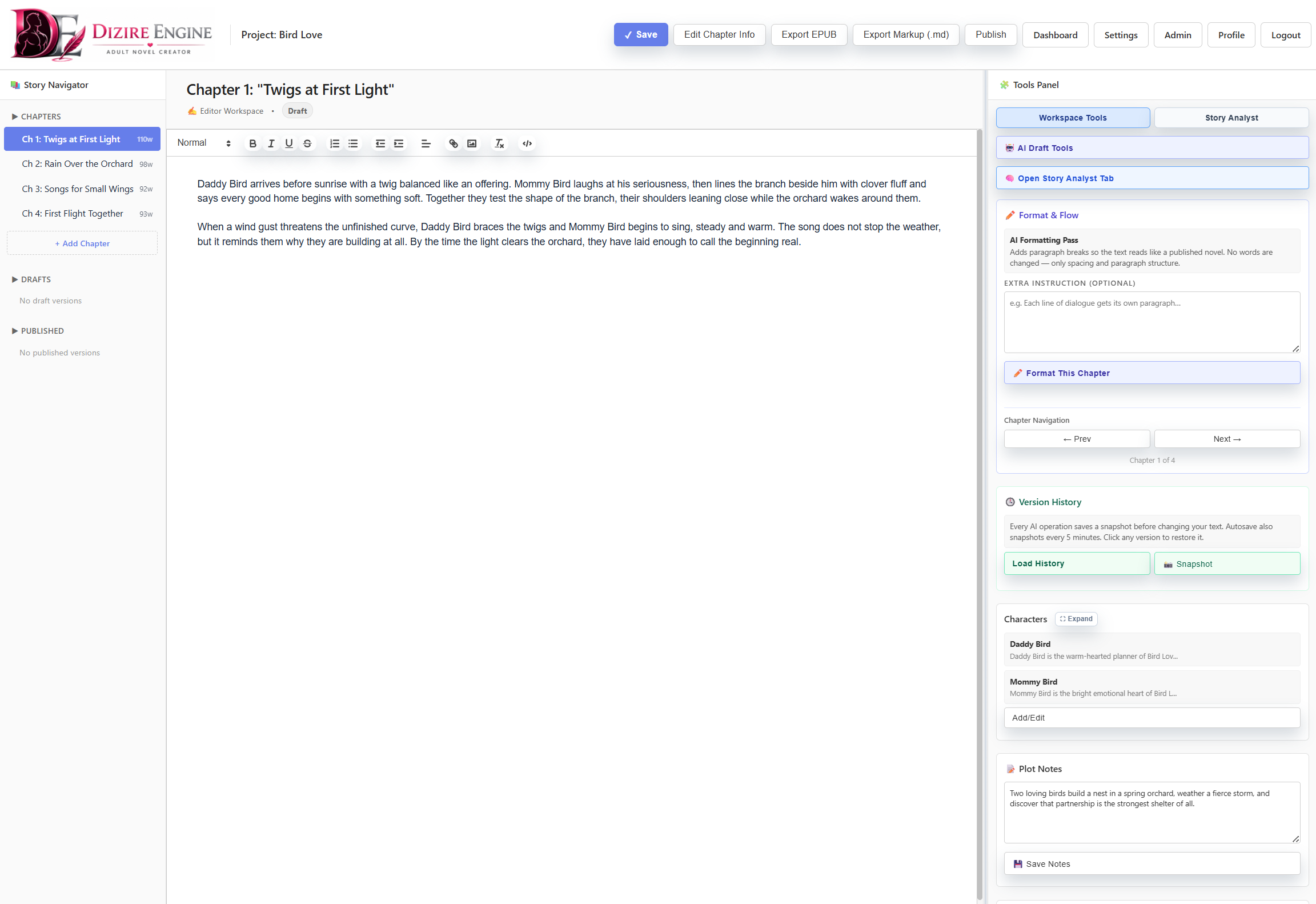
The chapter-by-chapter rhythm starts here. The workspace works best when you treat it as a sequence of focused chapter sessions rather than one giant manuscript dump.
On this page
- Why chapter-level drafting matters
- How to keep each chapter tied to the release
- When to use sections
- How AI tools help without derailing structure
- How to know a chapter is ready to move on
Overview
¶ Why chapter-level drafting protects the larger book
A release outline only stays useful if drafting respects it. The easiest way to do that is to work chapter by chapter, with each session answering one local question: what does this chapter need to accomplish for the release to keep moving?
That approach does two things at once. It makes the drafting target smaller, and it makes it easier to notice when a chapter is drifting away from the outline, the tone, or the continuity promises defined earlier.
Method
¶ Draft one chapter with one objective at a time
- Open the current release in the writing workspace and confirm which chapter you are actually working on.
- State the chapter objective before writing: transition, reveal, escalation, recovery, or payoff.
- Draft only enough text to complete that chapter’s job inside the release arc.
- Check the result against the release outline before moving to the next chapter.
- Carry unresolved continuity or follow-up beats forward deliberately instead of hoping you remember them later.
The goal is not to make every chapter perfect on the first pass. The goal is to keep every chapter accountable to the same release direction.
Sections
¶ Use sections only when a chapter needs internal control
Sections are optional. They help when one chapter contains multiple beats that are easier to manage separately, but they should not become a substitute for knowing what the chapter itself is doing.
- Use a section when the chapter has distinct internal turns that benefit from separate drafting passes.
- Do not use sections just to create the feeling of progress on a chapter that still lacks a clear purpose.
- Treat sections as internal scaffolding while still judging success at the chapter level.
AI workflow
¶ Use AI to strengthen a chapter, not to replace its purpose
AI drafting tools are most helpful when the chapter already has a job. Once the chapter purpose is clear, the tools can help you accelerate execution without erasing structure.
- Use Generate Draft when the chapter goal is clear but the first pass is missing.
- Use Continue Writing when the current chapter is underway and you need momentum more than invention.
- Use Rewrite Draft, Improve Dialogue, and Add Description when the structure is sound but the prose needs work.
- Use Expand Scene only when the chapter is too thin, not when the chapter purpose is still undefined.
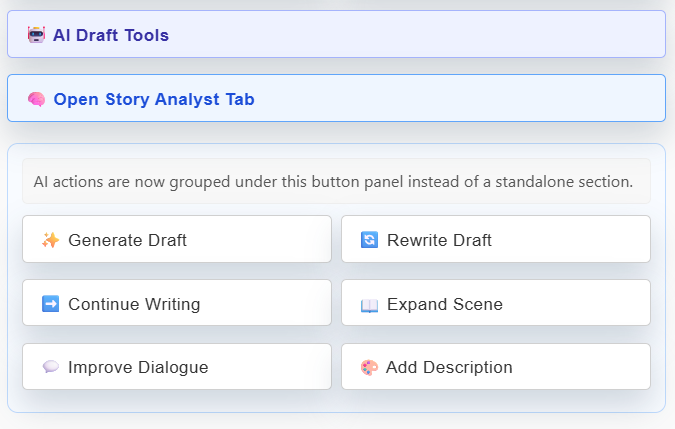
The cleaner the chapter goal is, the safer these tools become. They work best as refinement and acceleration tools inside a structure you already trust.
Completion
¶ Know when a chapter is ready to stop
A chapter is ready to move on when it completes its release-level job, leaves the manuscript in a coherent next state, and does not create continuity damage that the following chapter has to repair.
- The chapter changes something meaningful in the release.
- The next chapter now has a clear starting point.
- The manuscript still matches the tone and continuity promised by the project and release.
- You can name the revision needed later without having to keep drafting blindly right now.
Next step
¶ Where to go next
Once the chapters are moving cleanly, the next useful skill is revision discipline. Continue to Revising chapters and managing versions.