Drafting inside Dizire Engine
¶ Revising chapters and managing versions
Revision gets safer when the app can remember what the chapter used to say and what the next pass is trying to fix. This article shows how to revise chapters in Dizire Engine using chapter status, rewrite focus, revision notes, story-analysis tools, and the built-in version history snapshots.
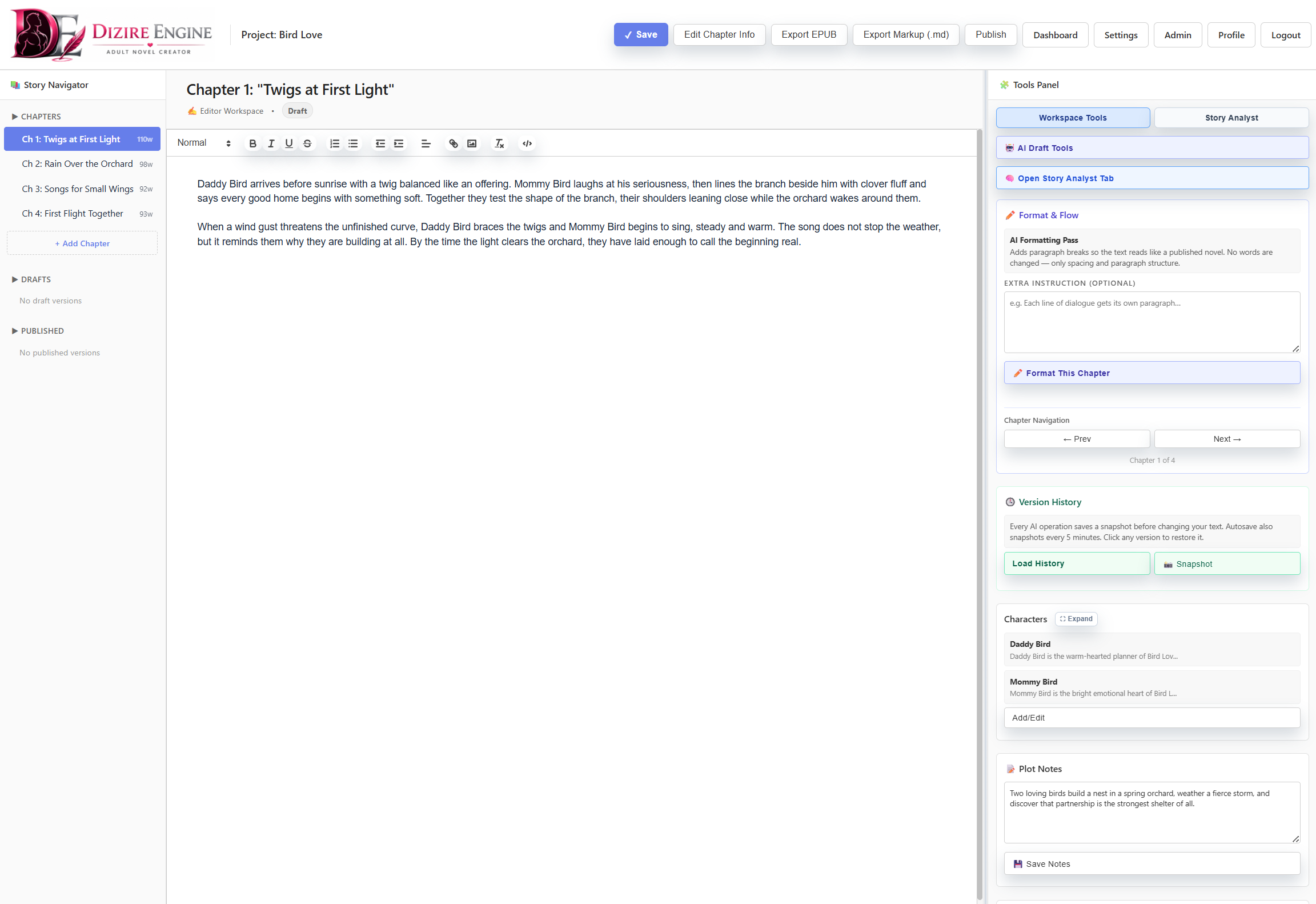
Revision still happens inside the writing workspace, but the best passes combine editor work, chapter metadata, and the analysis tools on the right-hand panel instead of rewriting blindly.
On this page
- What revision should solve
- How to mark a chapter for revision
- How to use rewrite focus and revision notes
- How version history protects your text
- How to use Story Analyst before restoring or rewriting
Overview
¶ What revision should actually accomplish
Revision is not just rewriting until the page feels cleaner. In Dizire Engine, a good revision pass solves a named problem: pacing, continuity, dialogue clarity, missing beats, character consistency, or tone drift.
That is why the app stores chapter metadata like status, rewrite focus, and revision notes alongside the draft itself. Those fields turn revision from vague discomfort into a concrete task you can finish.
Chapter state
¶ Mark the chapter before you rewrite it
Before changing the prose, identify the chapter’s current state. In the workspace and release tools, chapters can carry statuses such as Planned, Draft, Revision, and Completed.
- Use Draft when the chapter still needs fundamental content.
- Use Revision when the chapter exists but has known structural or line-level problems.
- Use Completed only after the chapter no longer has active revision debt for the current pass.
This matters because the wider app uses these states to decide what shows up in the task queue, pipeline counts, and manuscript progress surfaces.
Revision brief
¶ Use rewrite focus and revision notes as a real revision plan
Dizire Engine gives each chapter two useful fields for revision work: rewrite focus and revision notes.
- Use rewrite focus for the primary change you want this pass to make.
- Use revision notes for continuity fixes, missing beats, pacing concerns, or scene surgery you do not want to lose between sessions.
- Keep both fields specific enough that you could leave the draft for a day and still know exactly what the next revision pass is supposed to do.
Version history
¶ Use snapshots before risky changes
The workspace includes a Version History section with two key actions: Load History and Snapshot. The app also saves snapshots automatically before AI operations and during timed autosave windows.
- Click Snapshot before a risky rewrite, heavy formatting pass, or restore operation.
- Use Load History to review recent saved states for the current chapter.
- Restore a version when the current draft got worse, not just because the new draft feels unfamiliar.
This gives you permission to revise aggressively without depending on memory alone. The workflow is safer because the chapter can be rolled back to a known state.
The editor and the tools panel belong in the same revision session. Revise in the main draft, but use Version History to create safe checkpoints before destructive changes.
Analysis
¶ Run Story Analyst before guessing at the problem
The workspace’s Story Analyst tab is the fastest way to move from “this chapter feels off” to a named revision direction. The tools there include Run Fast Audit, Run Deep Audit, chapter-by-chapter continuity review, and codex-style checks.
Use those tools before restoring or rewriting when the problem is larger than a sentence-level issue. They are especially useful for continuity warnings, unresolved arcs, forgotten characters, and recap drift across the manuscript.
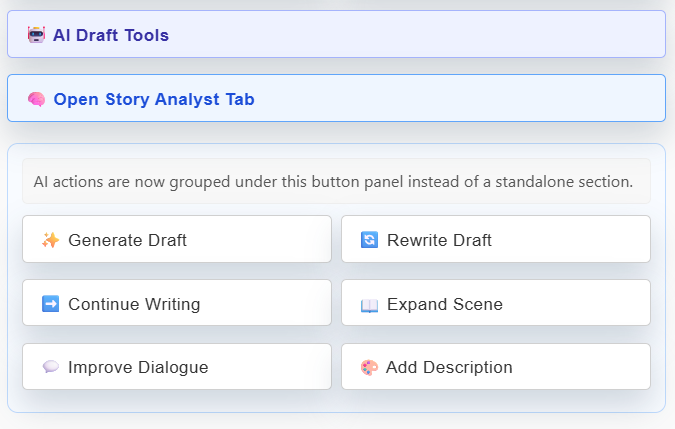
Draft tools help change the prose, but Story Analyst helps identify what the prose should change for. Use both in sequence when revision has become diagnosis plus repair.
Next step
¶ Where to go next
Once revision is under control, the next useful follow-up is managing the supporting libraries that make revision smarter. Continue to Using characters, roles, and persona notes effectively.