Preparing a release
¶ Preparing a clean draft for publishing
A draft is not ready for publishing just because the story is complete. In Dizire Engine, clean release prep means reviewing the manuscript in preview form, tightening release metadata, setting front and back matter, deciding whether to include bonus pages, and confirming that the exported package will reflect what you actually want readers to receive.
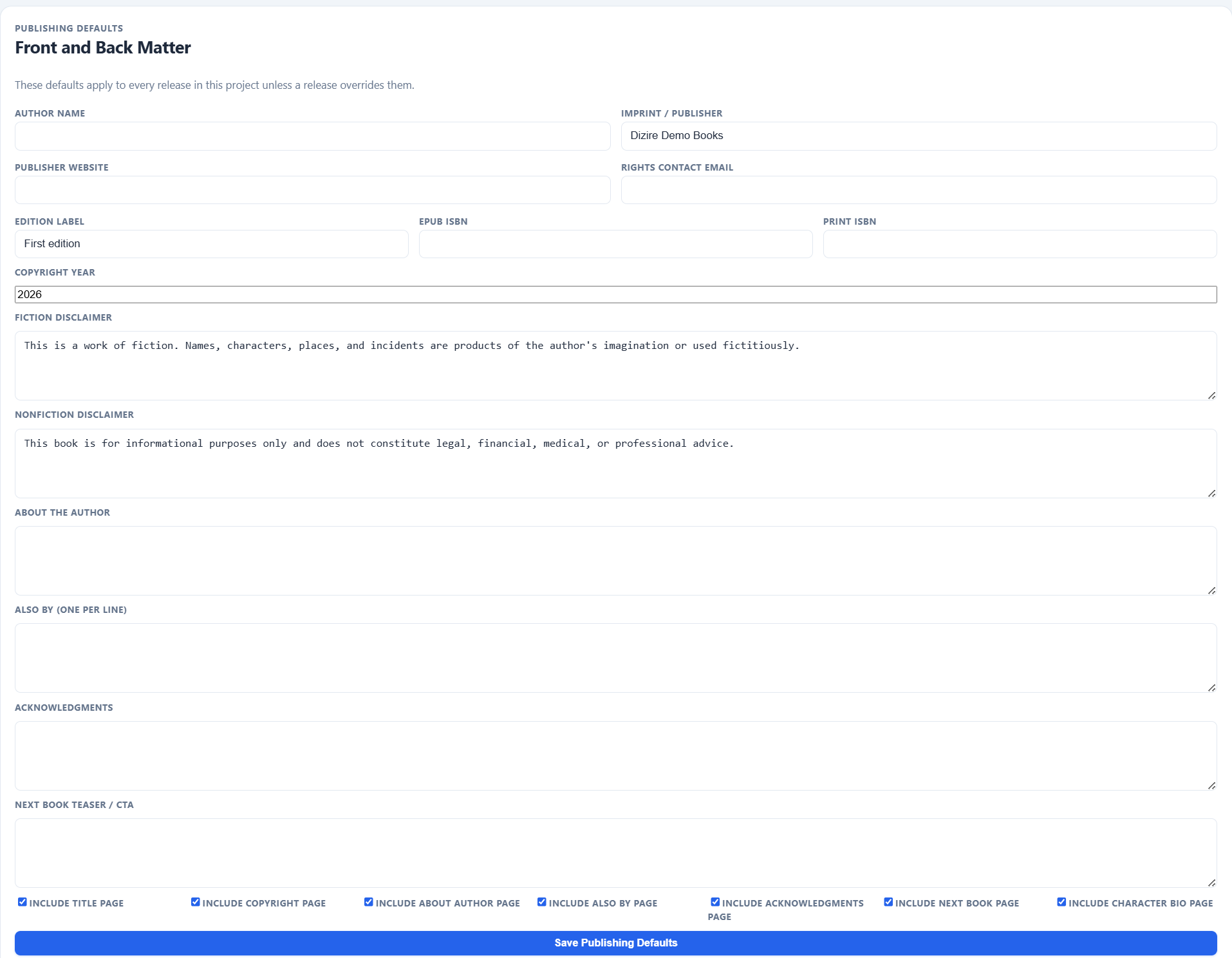
Release cleanup is not only about prose. The package also needs the front matter, rights information, author pages, and optional bonus content you want attached to the finished book.
On this page
- What a clean draft means in Dizire Engine
- Review the manuscript in release form
- Set release-level publishing details
- Add covers and optional bonus pages
- Check what exports will actually include
Overview
¶ Publishing prep is manuscript cleanup plus package cleanup
Dizire Engine separates story drafting from release preparation for a reason. A manuscript can be good enough to read internally and still be missing the practical details needed for export: author name, imprint, disclaimers, ISBN fields, acknowledgments, next-book teaser, cover art, and whether bonus character pages should be included.
The clean-draft pass is where you stop asking, “Is the scene good enough?” and start asking, “If I export this release right now, would I be comfortable sending the result to a reader or retailer?”
Manuscript review
¶ Use preview mode to inspect the book as a package, not as an editor buffer
Before you export anything, review the release in preview form. The preview page shows the book with its cover block, premise, table of contents, prologue, chapter titles, part headings, and chapter status. It also lets you Print / Save PDF and toggle Show outlines, Show drafts, and Hide empty chapters.
- Hide empty chapters so the preview reflects what a finished release would actually contain.
- Turn outlines on briefly to catch chapters that still rely on planning notes instead of real draft text.
- Confirm part labels, chapter titles, and prologue placement while reading the preview straight through.
- Use the visible word count as a reality check against your release target.
Preview is often where formatting and completeness problems become obvious, because it stops showing the manuscript as an editor session and starts showing it as a book-shaped object.
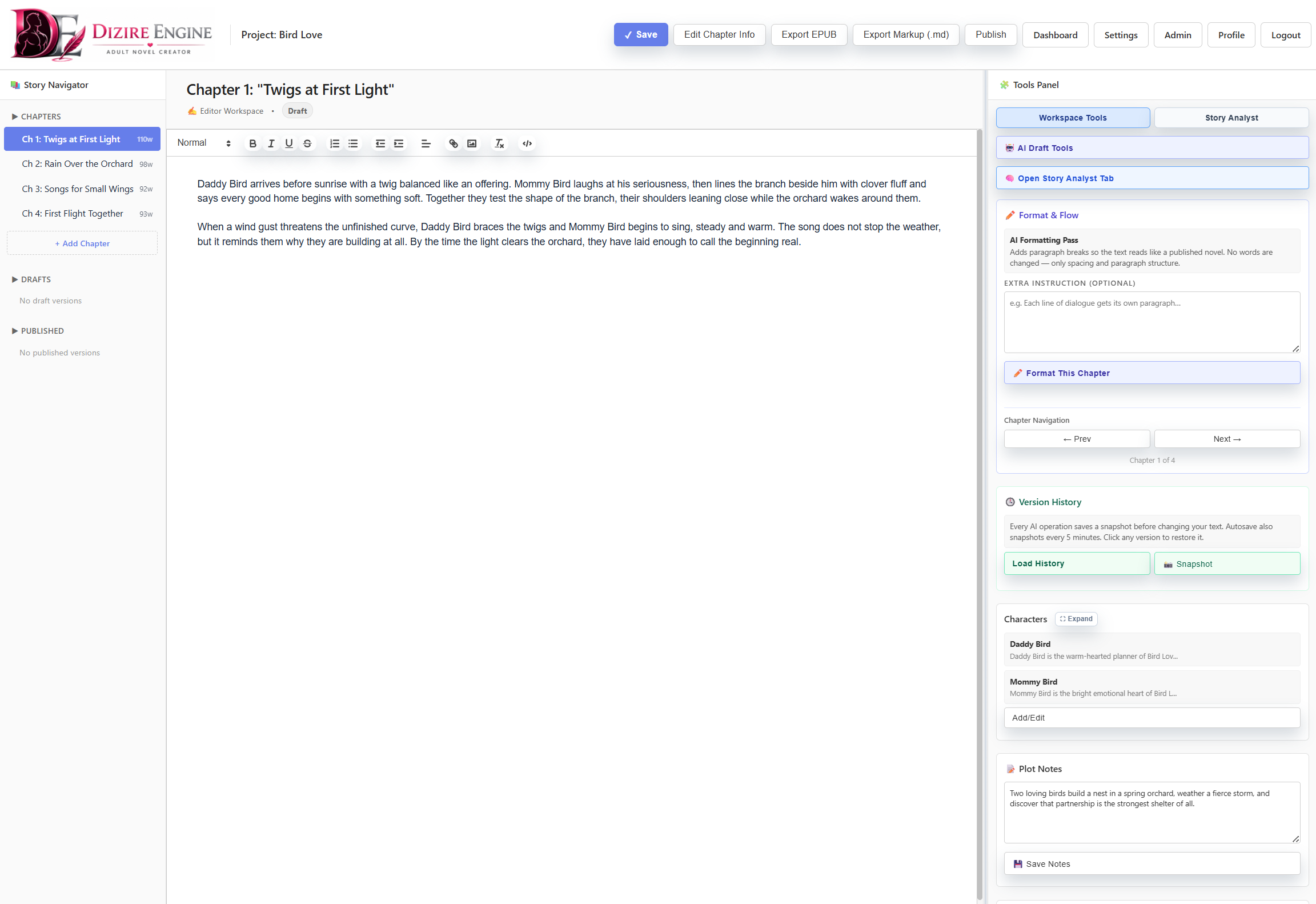
The workspace is still useful during cleanup, but publishing prep should keep pulling you back to the release-level view: title, cover, cast, chapter order, and package readiness.
Metadata
¶ Finish the release-level publishing overrides before you export
The release editor includes a Publishing Overrides form specifically for package metadata. This is where you confirm or override the project defaults for: Author name, Imprint / Publisher, Publisher website, Rights contact email, Edition label, EPUB ISBN, Print ISBN, Copyright year, Fiction disclaimer, Nonfiction disclaimer, About the author, Also by, Acknowledgments, and Next book teaser / CTA.
The same release-level settings also determine whether export includes the title page, copyright page, about-the-author page, also-by page, acknowledgments page, next-book page, and character bio page.
Assets
¶ Add only the visual extras that improve the release package
A clean release package may include more than text. The workspace includes a Cover Art tool with upload support for PNG, JPG, and WEBP, and the export pipeline can embed that cover art into EPUB output.
Character bonus pages are also optional. If you enable the character bio page, exports can use saved character bio images and summaries to generate a bonus-character section. That makes character art and bios valuable when they belong to the finished product, not as mandatory decoration for every draft.
- Upload cover art when the release package is entering delivery mode, not when the manuscript is still structurally unstable.
- Include bonus character pages only if they fit the actual reader-facing package.
- Do not let optional art block the core release if the text and metadata are already ready.
Export awareness
¶ Know what the exports will include before you press the button
The export layer resolves publishing metadata from project defaults and release overrides, then builds DOCX, PDF, EPUB, and related output from the release itself. That means the finished files reflect the release name, premise, prologue, chapter text, optional character bio pages, and the publishing-profile toggles you chose.
- EPUB can include embedded cover art, title and copyright pages, and optional bonus pages.
- PDF and DOCX exports pull the combined chapter text, so unfinished outlines or empty draft areas will carry forward if you leave them in place.
- Chapter sections are still exported as one rebuilt chapter, not as separate public chapters.
- Release preview is therefore the cheapest pre-flight check before any export action.
Clean publishing prep is mostly about removing surprises. If preview, metadata, and optional extras all agree with the book you intend to ship, export becomes routine instead of risky.
Next step
¶ Where to go next
Once the release package is clean, the next step is locking down the metadata and page-package choices that will follow the release into export. Continue to Setting release metadata and publishing overrides.