Preparing a release
¶ Setting release metadata and publishing overrides
Dizire Engine separates shared publishing defaults from release-specific overrides so you can keep a catalog consistent without forcing every book to ship with identical front and back matter. This guide shows what belongs at project level, what belongs at release level, and which fields actually affect export output.
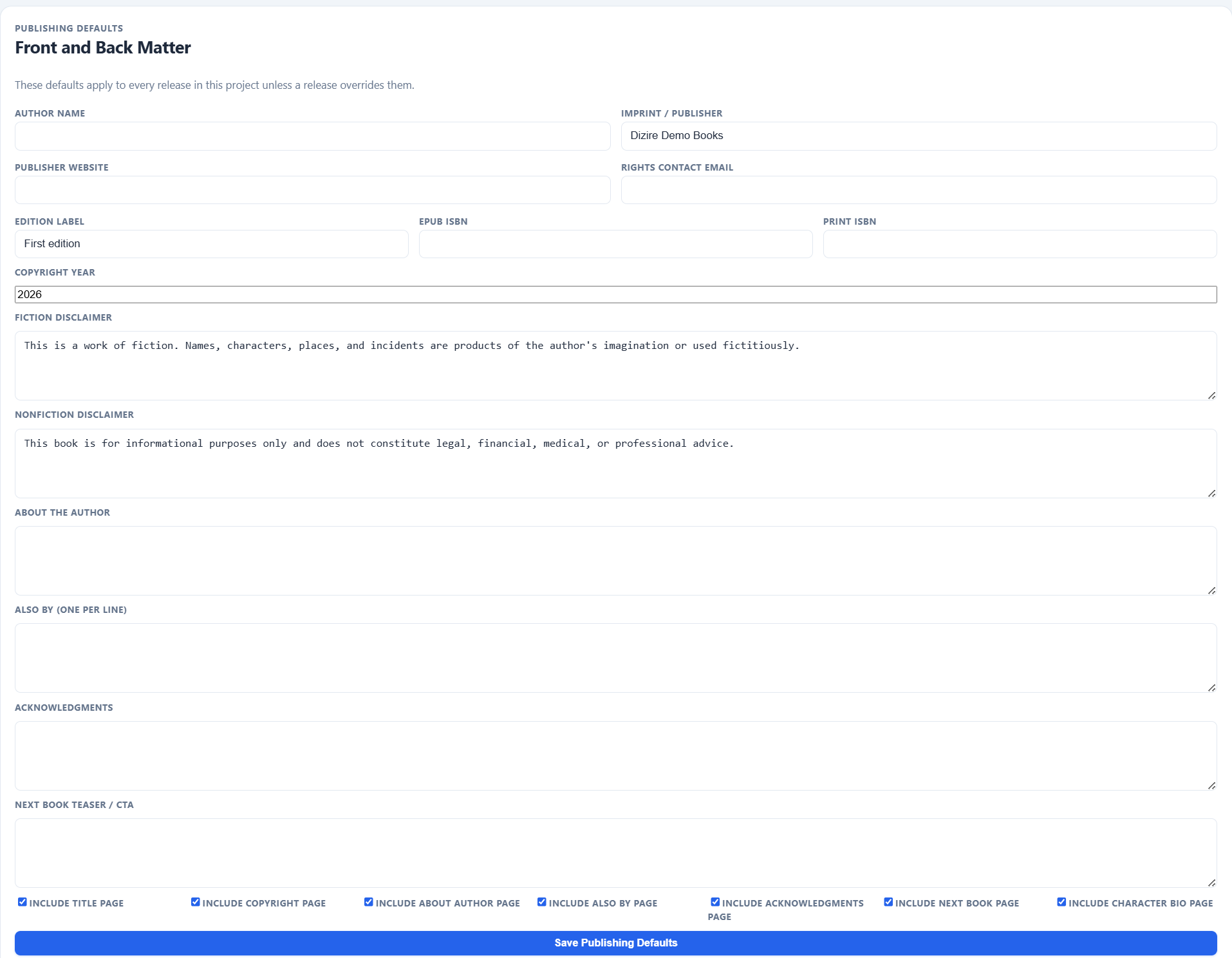
Publishing metadata starts at the project level because most books in a line share the same author, imprint, rights, and page-package defaults.
On this page
- Why defaults and overrides are separate
- What belongs in project publishing defaults
- What the release override form controls
- Which page toggles change exports
- How to avoid metadata drift
Overview
¶ Use defaults for consistency and overrides for book-specific exceptions
The publishing profile in Dizire Engine is resolved in layers. Project Publishing Defaults set the shared package identity for the whole line. Release Publishing Overrides can then replace those values for one saved release. The export layer merges them, so the final DOCX, PDF, and EPUB reflect the combined result.
Project defaults
¶ Start in the project record when the whole line should share the same package identity
The project detail page includes a Front and Back Matter form under Publishing Defaults. This is where you establish the shared metadata for the project: Author name, Imprint / Publisher, Publisher website, Rights contact email, Edition label, EPUB ISBN, Print ISBN, Copyright year, Fiction disclaimer, Nonfiction disclaimer, About the author, Also by, Acknowledgments, and Next book teaser.
The same form also controls the shared page toggles for Include title page, Include copyright page, Include about author page, Include also by page, Include acknowledgments page, Include next book page, and Include character bio page.
- Set defaults here when every release should inherit the same publisher identity.
- Use it to establish whether character bonus pages are normally included in this line.
- Keep rights and disclaimer text here unless a specific release genuinely needs different language.
Release overrides
¶ Use the release form when one book needs a different package than the project norm
Each release editor includes a dedicated Publishing Overrides block. It mirrors the project profile so you can override individual values without rebuilding the whole publishing setup.
This is where book-specific decisions belong: a different Edition label, release-level ISBNs, a release-specific teaser, a one-off disclaimer, or a different choice on whether the package includes certain front or back matter pages.
Release overrides are also where cover-related package state starts to matter. The release can store its own cover-art URL and its own bonus-page decisions even when the project defaults stay stable.
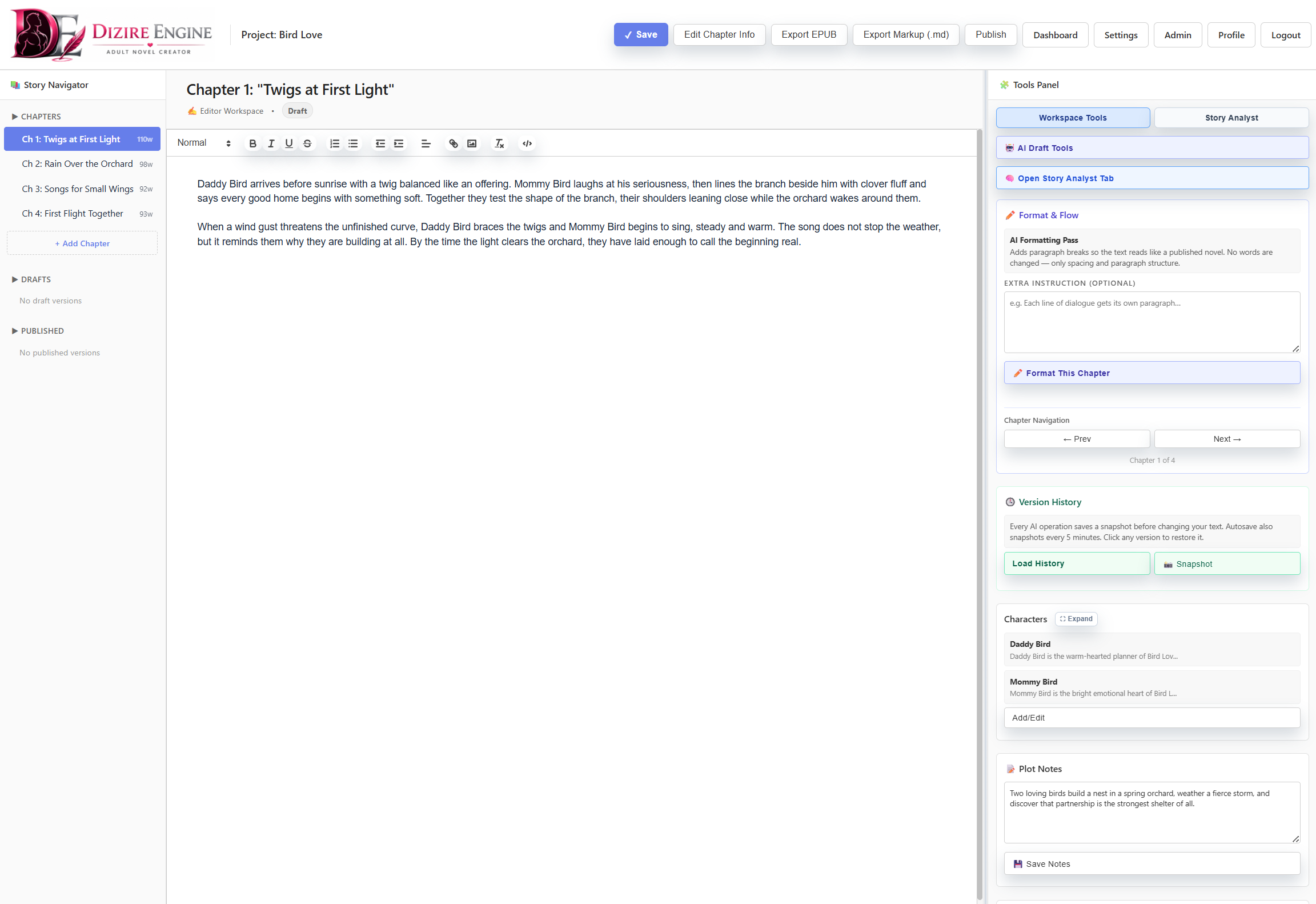
By the time you are using release overrides, the manuscript should already be stable enough that package decisions reflect a real book rather than a moving draft target.
Page toggles
¶ The page checkboxes decide what export packages actually contain
The checkbox group is not decorative. Those toggles directly determine whether exports include the title page, copyright page, about-the-author page, also-by page, acknowledgments page, next-book page, and character bio page.
- Turn pages on only when you have the text and assets ready for them.
- Do not leave a page enabled out of habit if the related field is blank or off-brand for this release.
- Remember that the character bio page depends on having linked characters with usable bio images and summaries.
- Use the release override to turn pages off when one release should ship leaner than the project default.
Workflow
¶ Pick the release from the queue, then finish overrides before export
The Release Metadata and Release Pipeline views exist to help you choose the right saved release before you move into the detailed settings screen. Once you open the release itself, finish the override form there. That keeps the queue pages lightweight and the actual metadata editing attached to the manuscript record it affects.
Next step
¶ Where to go next
Once the package metadata is correct, the next step is deciding exactly which front and back matter pages belong in the release. Continue to Configuring title page, copyright, acknowledgments, and about-the-author pages.