Planning your first book
¶ Tracking notes, continuity, and release goals
Dizire Engine gives you several places to store planning information on purpose. Project continuity, release intent, private author notes, and chapter-level revision reminders are not the same thing. This guide explains where each one belongs so your planning stays usable as the book grows.
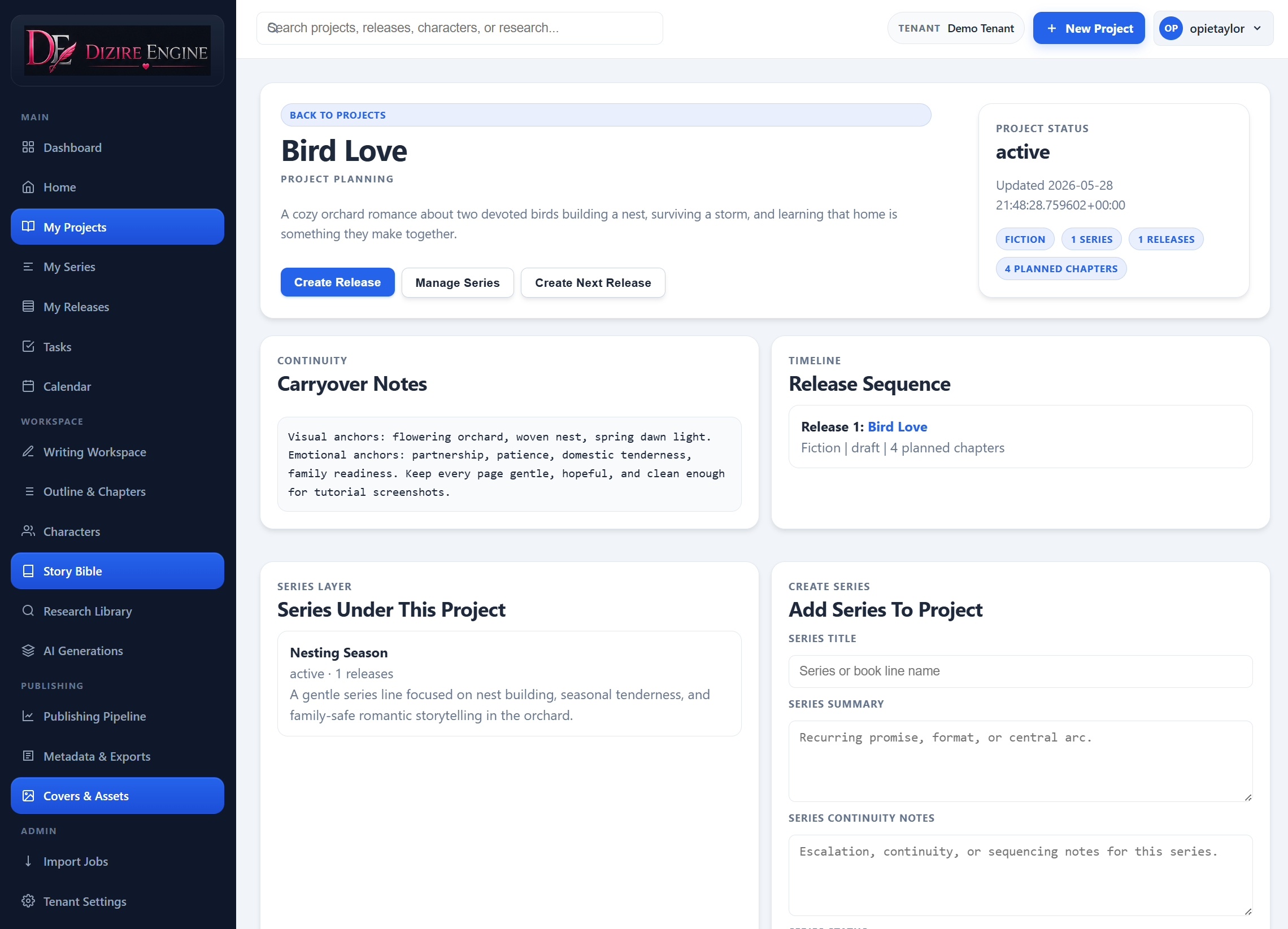
Continuity becomes manageable when the long-range notes live at the project or series level and the release only stores what this one book must accomplish.
On this page
- Why the note locations matter
- What belongs at the project or series level
- What belongs on the release itself
- What belongs at chapter level
- When to use audit and codex tools
Overview
¶ Most planning confusion comes from storing the right note in the wrong place
If a note should guide every release in a project, it does not belong only on one chapter. If a reminder is only about revising one scene, it does not belong in the project continuity field. Dizire Engine separates these levels because they answer different questions.
- Project and series notes answer: what must stay true across multiple releases?
- Release notes answer: what does this book need to set up, carry, and finish?
- Chapter notes answer: what still needs work in this local unit?
- Audit and codex tools answer: what rules or risks are emerging from the manuscript itself?
Project and series
¶ Put long-range continuity where every release can inherit it
The project layer is the home for the big continuity memory. The project forms and detail page include Project summary, Continuity notes, Project status, and a release planner that shows each release's Opening state, Carryover threads, and Ending state side by side.
If you use the series layer, it adds its own Series summary and Series continuity notes for recurring promises, cast rotation, escalation rules, or timelines that belong to one line inside the broader project.
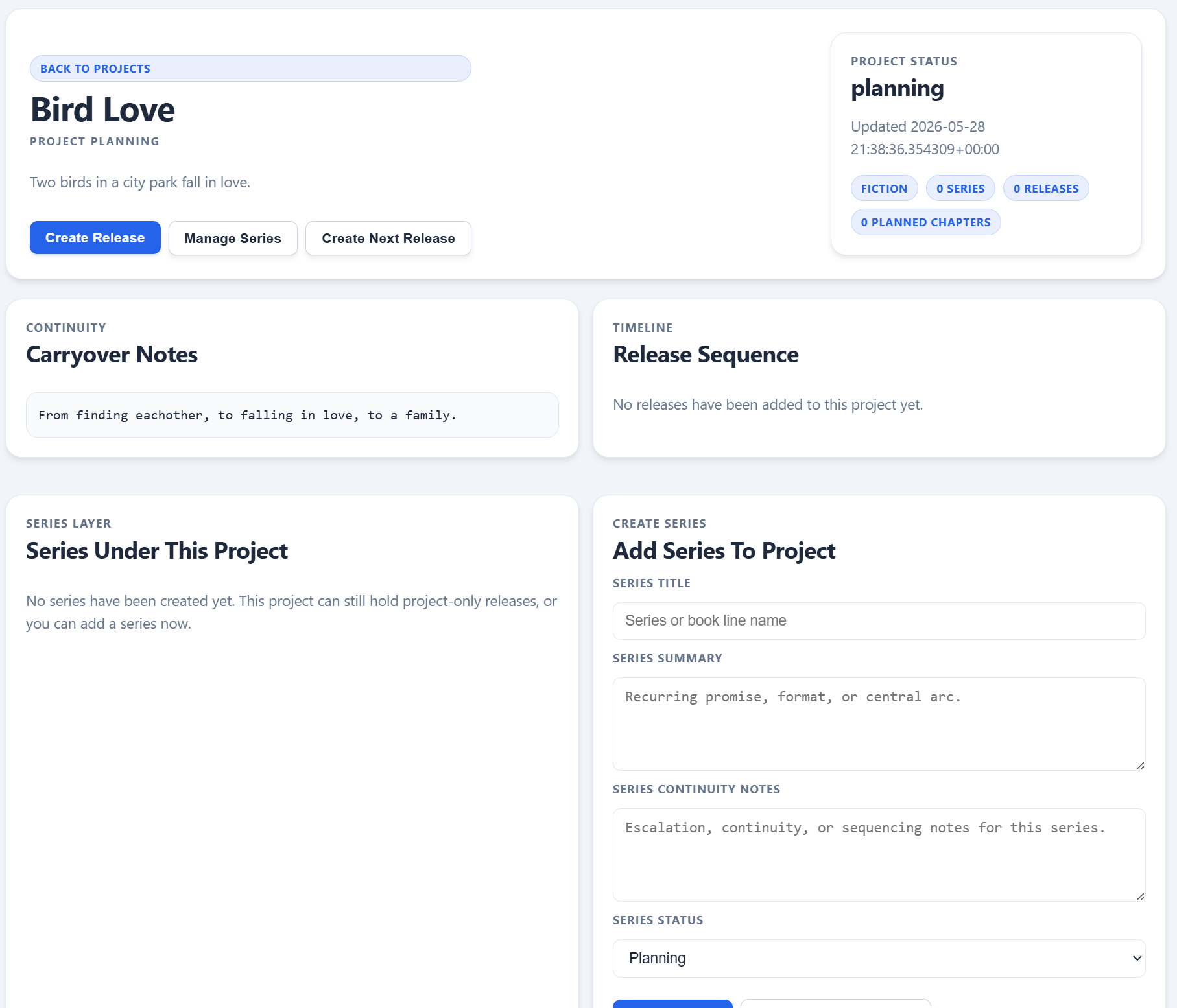
The release planner is useful because it lets you compare opening states, carryover threads, and ending states across the sequence without opening every manuscript one at a time.
Release level
¶ Use the release record for this book's goals, not the whole series memory
The release editor carries the planning fields that describe what this one release must do. The most important continuity fields are Opening state, Carryover threads, and Ending state. These create a before-during-after frame for the book.
The same release also holds Foundation notes, Story engine, Voice guardrails, and Rework strategy. Those fields are useful when the release needs its own execution rules, tone reminders, or revision intent.
There is also a dedicated Notes & Planning field in the release editor. Its label is explicit: these are personal notes, reminders, and planning thoughts for the release, and they are not used in generation. That makes it the right place for loose author thinking that should stay attached to the release without polluting continuity fields.
- Use Opening state for where the cast and conflict stand at the start.
- Use Carryover threads for unresolved promises from earlier releases.
- Use Ending state for what must be true when the book closes.
- Use Notes & Planning for private reminders, idea fragments, and release-local planning that should not become canonical continuity.
Chapter level
¶ Keep scene surgery and revision reminders close to the chapter
Once you are inside the manuscript, the note surface changes again. Chapters expose Rewrite focus, Revision notes, Summary, Outline notes, and optional Scene beats. The workspace also includes a dedicated Chapter Notes tool that saves back into chapter revision notes.
These are not replacements for release continuity. They are working instructions for the chapter in front of you: continuity fixes, pacing concerns, beats to restore, and scene-level changes that matter during drafting or revision.
- Put chapter-specific repair instructions in Revision notes.
- Use Rewrite focus when an AI rewrite should solve one defined problem.
- Use Scene beats when the chapter needs internal sequencing, not when the whole release needs a new plan.
- If the note would still matter after this chapter is fixed, promote it upward to release or project continuity instead.
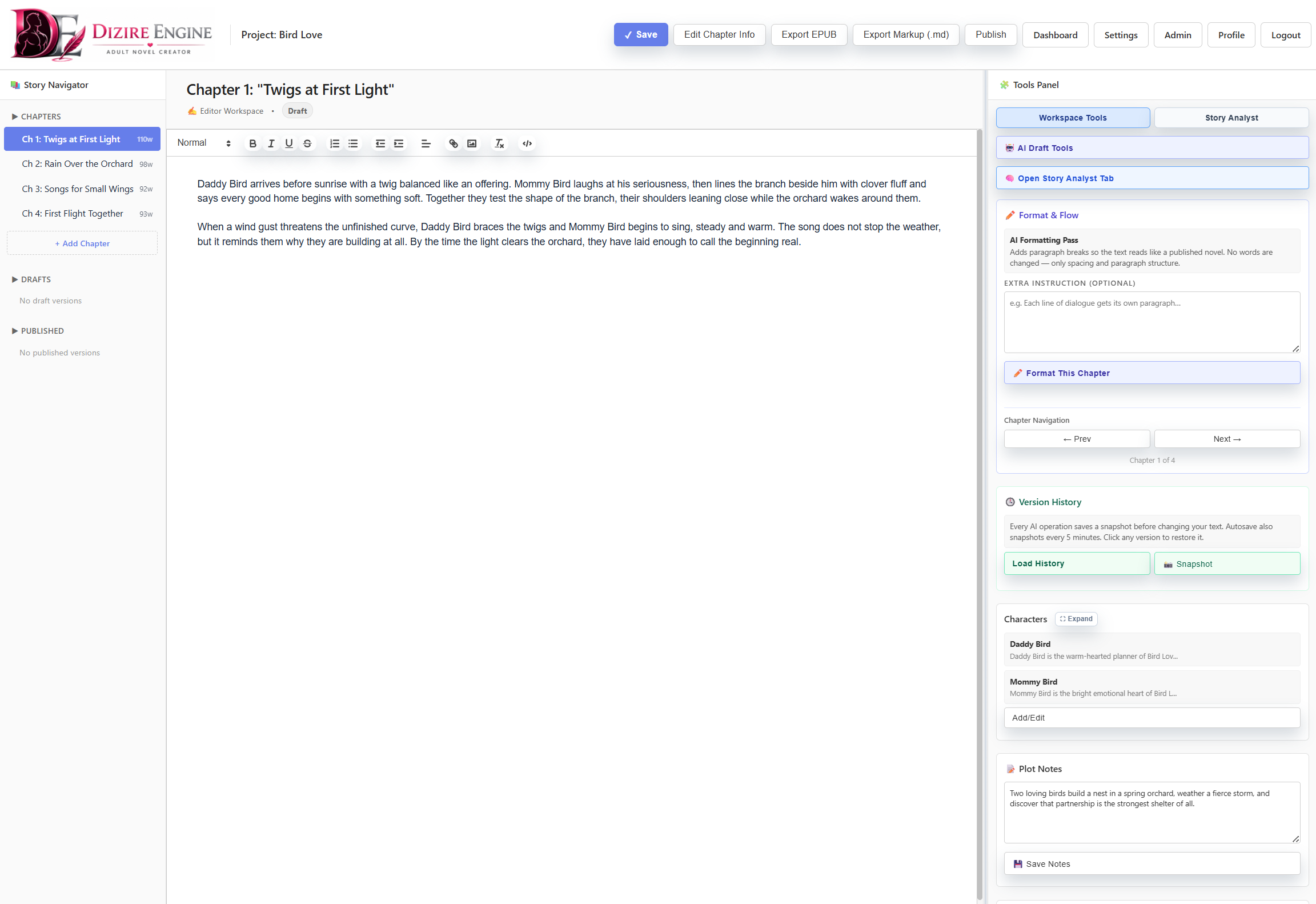
The workspace is where chapter notes stay tactical. If a reminder only matters while you are shaping the current draft, it usually belongs here instead of in the project record.
Audit and codex
¶ Use the analyst tools when continuity needs checking, not just storage
Some continuity work is not about where to save a note. It is about discovering what the manuscript is actually doing. The workspace Story Analyst and Codex Builder help with that. They can flag chapter-by-chapter continuity issues, unresolved arcs, conflicting details, forgotten characters, and rule candidates that should become project-level guidance.
This is the right toolset when you need to answer questions like: which threads are still unresolved, which details are drifting, and which rule should move out of a temporary release note and become a reusable project rule.
Next step
¶ Where to go next
Once your notes are living at the right layer, the next planning move is learning how one release hands off to the next. Continue to Creating the next release in a story project.