Drafting inside Dizire Engine
¶ Using the writing workspace
The writing workspace is where the release stops being only a plan and starts behaving like an editable manuscript. This article shows how to enter the workspace, what it is best used for, and how to keep drafting tied to the project, series, and release structure around it.
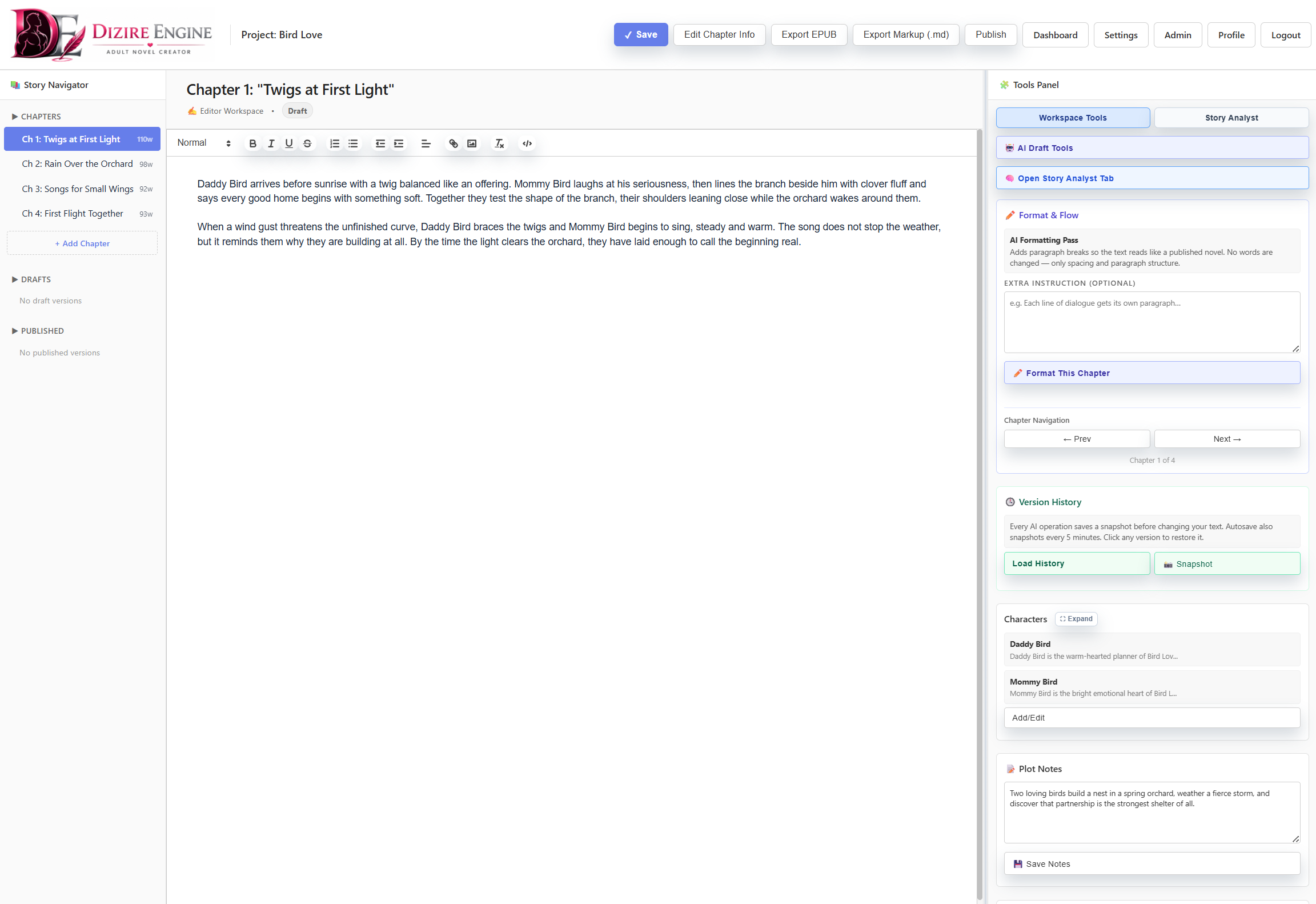
The workspace is the drafting surface for one release. Chapter navigation, the active editor, and writing controls all live together here so progress stays tied to the correct manuscript.
On this page
- What the workspace is for
- How to open it from the rest of the app
- What to do inside the editor
- How AI tools fit into drafting
- When to leave the workspace
Overview
¶ What the writing workspace should handle
The writing workspace is not the place to invent the entire book from scratch. It works best when the project, release, and rough outline already exist. At that point, the workspace becomes the place where you draft chapters, revise text, continue scenes, and keep momentum inside one clearly identified manuscript.
That boundary matters because it prevents a common failure mode: trying to do planning, catalog structure, and line-by-line writing in the same mental step.
Entry points
¶ Open the workspace from the page that already knows your next manuscript
There are three practical entry points into the workspace:
- Manuscripts when you want to review all active releases and choose one deliberately.
- Tasks when you want the app to tell you which manuscript should be resumed next.
- Releases when you are thinking in publishing order and want to jump from the release record into the draft.
In the seeded demo tenant, those pages all lead back into the same three live manuscripts: Bird Love, Bird Love: First Hatchling, and The Lantern Clue.
Drafting
¶ What to do once the editor is open
- Confirm the release title and chapter context before typing.
- Work chapter by chapter instead of treating the whole book as one endless text block.
- Use the release outline and chapter plan as constraints, not as decoration.
- Revise the current section of the manuscript until it says what the chapter needs to accomplish before moving on.
- Return to project or release settings only when the problem is structural, not sentence-level.
The workspace should reduce friction. If you find yourself constantly leaving it to rediscover what the chapter is supposed to do, the problem is usually in the outline or release setup, not in the editor itself.
A good workspace session is narrow: one release, one chapter, and one immediate drafting objective.
AI tools
¶ Use AI tools to accelerate an existing draft, not to replace structure
The AI tool panel belongs inside the drafting workflow because it helps you push, revise, or expand material that already has context. It is most useful after the release and chapter purpose are already defined.
- Use Generate Draft when the outline and release premise are stable enough to support a first pass.
- Use Continue Writing when you know the next beat but want help getting momentum back.
- Use Rewrite Draft, Improve Dialogue, or Add Description when the chapter exists but the prose is weak.
- Use Expand Scene when the structure is right but the page lacks enough development.
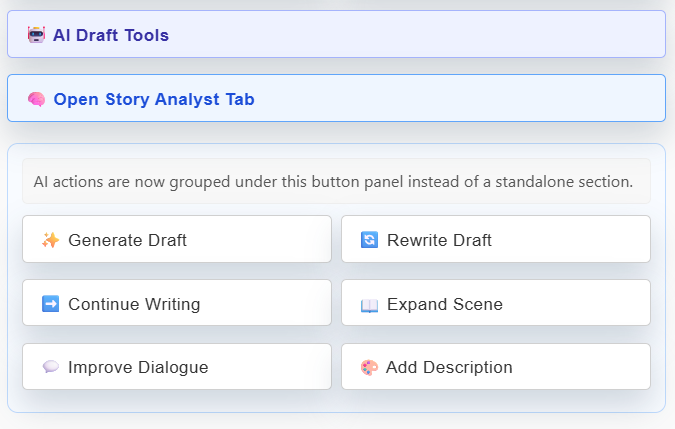
These actions are strongest when they inherit a clear release, chapter, and drafting goal. Without that context, they usually create more cleanup than progress.
Exit conditions
¶ Know when to leave the workspace and switch tools
Leave the writing workspace when the obstacle is no longer paragraph-level writing.
- Go back to Projects or Series if the continuity or release order is wrong.
- Go to Tasks if you need to compare multiple active manuscripts and choose what matters today.
- Go to Characters if a cast decision is blocking the scene.
- Go to Stories if you need source material or supporting reference text.
- Go to Releases if the manuscript status itself needs to change.
The cleanest workflow is not staying in one page forever. It is knowing when the manuscript editor is the right tool and when another page is actually the bottleneck.
Next step
¶ Where to go next
Once you can work chapter by chapter in the editor, the natural follow-up is tightening the chapter workflow itself. Continue to Drafting chapter by chapter without losing structure.