Getting started
¶ Choosing the right starting workflow for your first book
Dizire Engine gives you more than one valid starting point. The right page depends on whether you are planning a release, resuming a draft, reviewing what is urgent, or organizing the cast and source material around the book.
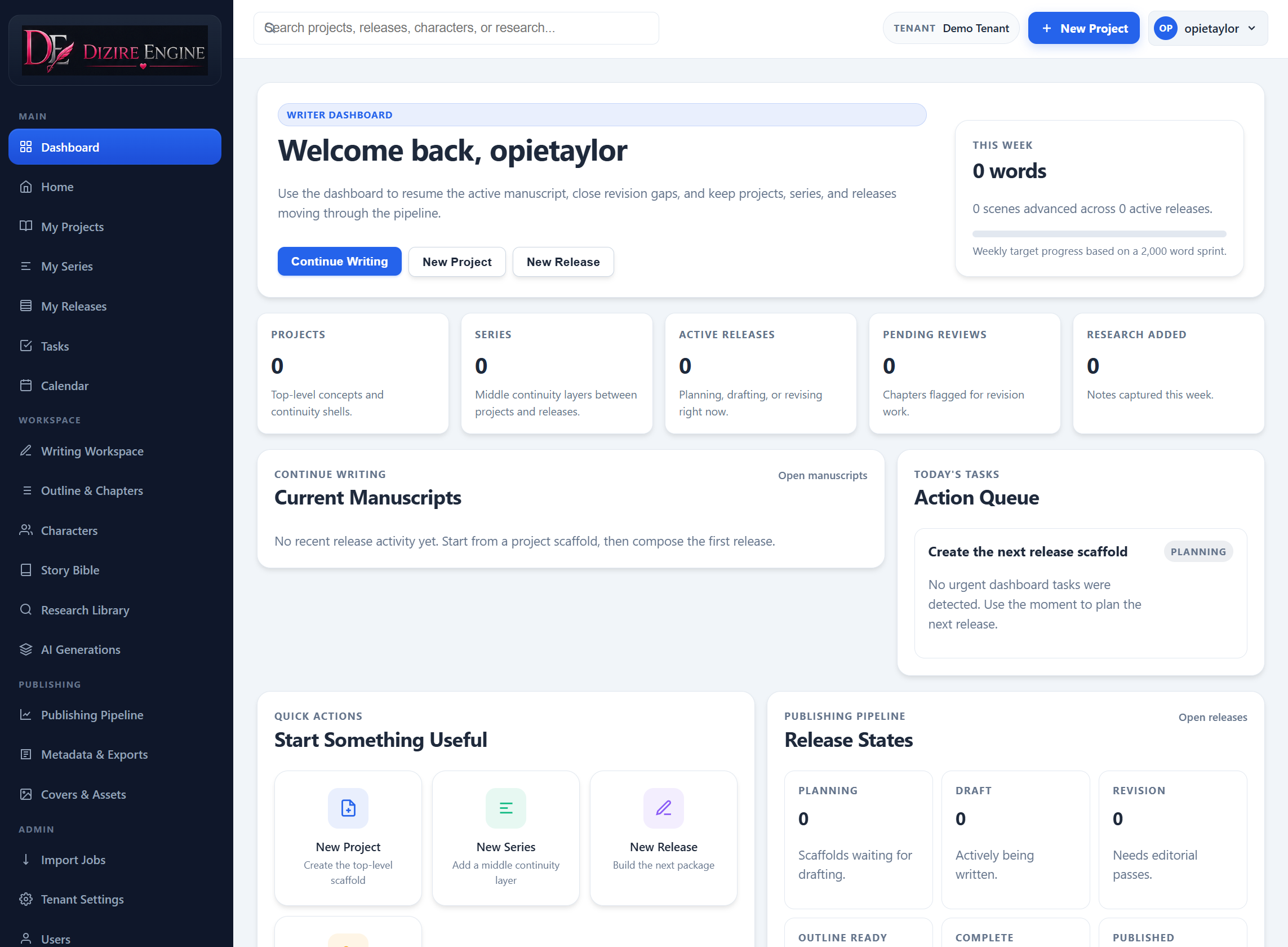
The dashboard is the best decision screen because it shows where active work already exists before you open a deeper tool.
On this page
- Start from Projects when structure is missing
- Start from Releases when the book plan already exists
- Start from Tasks when you need today’s next action
- Start from Calendar when you need recent movement
- Start from Characters or Stories when context is the blocker
Decision rule
¶ Pick the page that matches the kind of uncertainty you have
Most new-user confusion comes from opening the wrong tool too early. If the structure of the book is unclear, start with structural pages. If the structure is already there but you do not know what to do next, start with workflow pages. If the story itself is fuzzy, start with the supporting libraries.
Projects and releases
¶ Start with Releases when the container already exists
If the project and series are already in place, the release portfolio is usually the fastest entry point. It shows the release number, status, chapter count, and rough manuscript size without making you open each record one by one.
In the seeded demo workspace, the Releases page immediately shows three useful states: a draft release, a planning release, and a published release. That makes it easy to understand where your own book belongs in the pipeline.
Workflow
¶ Start with Tasks when you need the next useful action
The Tasks page is the right starting point when your problem is not structure, but focus. It reduces the whole workspace into a short list of current priorities, recent manuscripts, and release actions.
In the demo tenant, this includes a direct resume link for Bird Love: First Hatchling, a revision reminder, and recent release work across both Bird Love and Moonlit Harbor Files.
Momentum
¶ Start with Calendar when you need to understand recent movement
The Calendar view is not a planning calendar in the traditional deadline sense. It is an activity timeline that maps recent project and release changes into dated events.
That makes it useful when you want to answer questions like: what changed recently, has this release moved at all, and is the catalog still progressing. In the seeded demo space, the page summarizes one active day, five recent events, three releases, and two projects.
Context
¶ Start with Characters when the cast is the blocker
Open Characters when the next step depends on knowing the cast more clearly. The library page shows most-used characters, project and release links, stored personas, and direct routes into each character profile.
The demo workspace shows how this becomes valuable across multiple genres: Daddy Bird and Mommy Bird anchor Bird Love, while Inspector Wren Vale and Nora Quill show how a second project can reuse the same cast workflow without mixing identities.
Source material
¶ Start with Stories when the raw material is the blocker
If what you really need is background text, imported material, or source scenes, go to the Stories library before you start drafting. That page keeps imported story records searchable by title, tone, word count, and source path.
In the demo tenant, the library cleanly separates the Bird Love source story from the Lantern Clue source story, which makes it obvious how one workspace can hold multiple tones without confusing your retrieval context.
Next step
¶ Where to go next
If you still need to build the structure, continue to Creating your first story project. If the structure already exists and you are ready to shape the book, continue to Writing your first outline.